
Getting Token
⚠️ Deprecated
The POST /auth/application endpoint is deprecated and will be removed in the future. In API v1 the token is obtained with POST https://gateway.zemlog.com/api/v1/auth/application; see API v1 Getting Token for details.
After creating an application from the panel, proceed with the following steps.
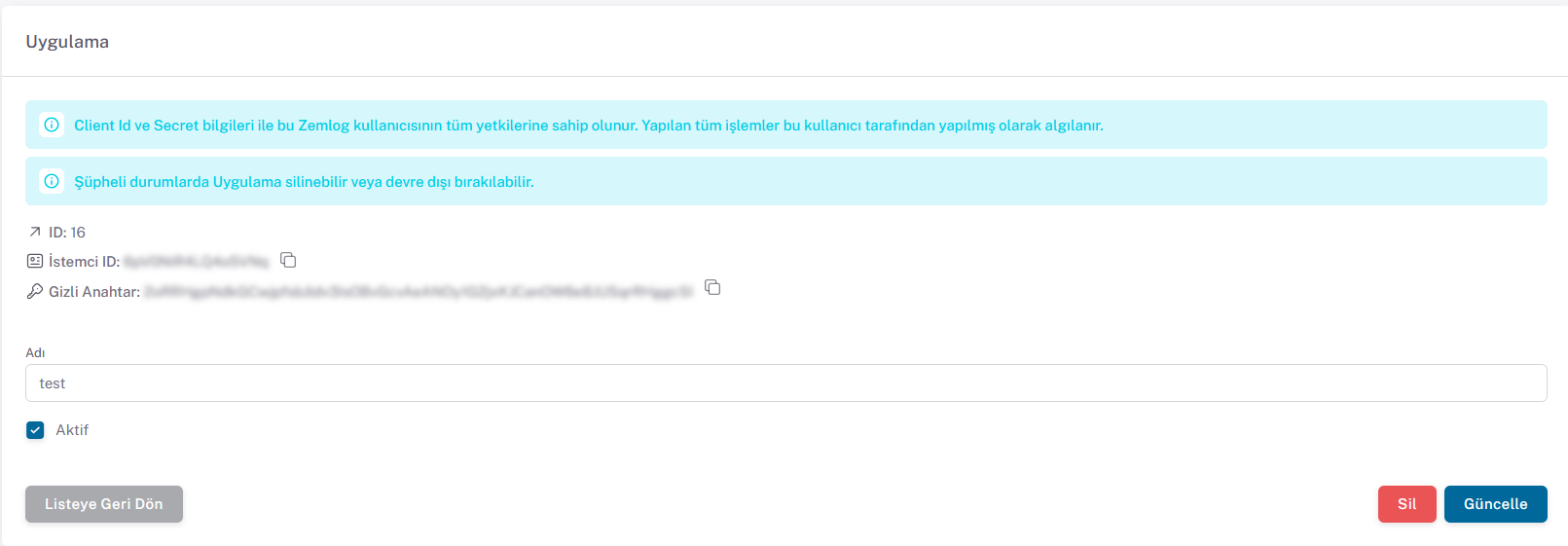
Send a request to the following endpoint using the Client ID and Secret Key information from the panel
Token Request
POST: /auth/application
{api_url}/auth/application
Content
{
  "clientId": "eaeE34e3",
  "secret": "secret"
}
Sample cURL
$ curl -X POST {api_url}/auth/application \
    -H 'Content-Type: application/json' \
    -d '{
    "clientId": "eaeE34e3",
    "secret": "secret"
}'
Response (200)
{
  "token": "string"
}
Response (400)
Returned when clientId or secret is missing, empty or not a string.
{
  "message": "Validation failed.",
  "detail": "clientId: This value should not be blank.",
  "violations": [{ "propertyPath": "clientId", "message": "This value should not be blank." }]
}
Response (401)
Returned when the client ID or secret key is wrong or the application is inactive.
{
  "message": "Client ID or secret invalid.",
  "errors": null,
  "data": null
}
After these operations, you can easily perform your transactions using the ZEMLOG API with the token received from the request. Send the token in other requests with the Authorization: Bearer {token} header.